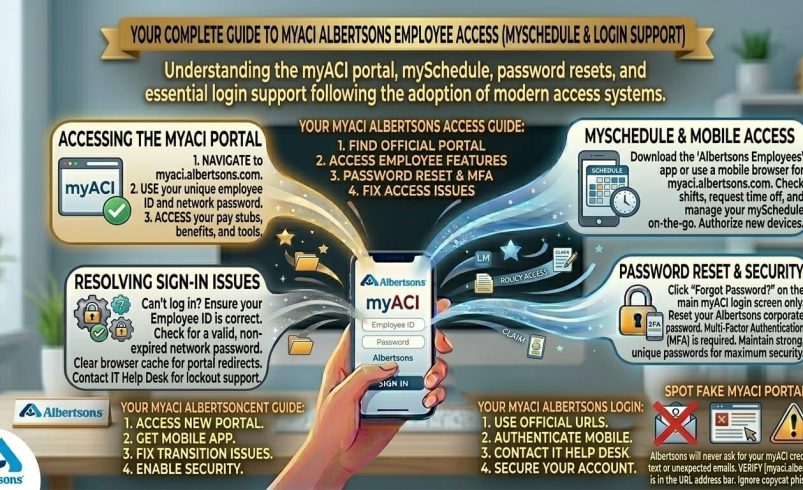
If you’re trying to log into myACI, you’re looking for Albertsons’ employee self-service portal, and the quickest route in is myaci.albertsons.com, where you sign in with your LDAP username or Employee ID followed by @safeway.com, plus your password. MyACI Albertsons is where staff across Albertsons, Safeway, and the company’s other regional grocery brands check pay stubs, review benefits, and manage HR tasks, while a separate but linked system called mySchedule handles shift schedules and time-off requests. This guide covers both systems, the exact login steps for new and returning staff, and fixes for the login problems people run into most.
What Is MyACI Albertsons?
MyACI is Albertsons Companies’ online HR platform, built on Oracle’s cloud HR software. It’s the central place for employee-facing HR tasks across the company’s supermarket brands, which include Albertsons, Safeway, Vons, Jewel-Osco, Shaw’s, Acme, and several others depending on your region.
Once logged in, staff typically use myACI for:
- Pay stubs and tax statements (W-2 forms, direct deposit settings)
- Benefits enrolment, including health, dental, and vision plan options
- Personal information updates, such as address or emergency contacts
- Wellness programme details tied to Albertsons’ health initiatives
It’s worth knowing that myACI itself doesn’t handle scheduling, that’s a separate system covered below, which trips up a lot of new employees searching for one login that does everything.
MyACI Albertsons Login: Step by Step
Returning Users
- Go to myaci.albertsons.com
- If using a store computer, open a new InPrivate or private browsing window first, since shared devices sometimes carry over another employee’s session
- On the sign-in screen, click “Company Single Sign-On”
- Enter your login in the format LDAP@safeway.com (for pharmacy, corporate, backstage, and supply chain associates) or Employee ID@safeway.com (for retail associates), then click Next
- Enter your password on the following screen and click Sign In
First-Time Login and Account Setup
New employees generally receive their initial login details and a temporary password from their store or HR onboarding team, not through self-registration. The first login usually triggers a forced password change, so you’ll be prompted to set a new password immediately after your first successful sign-in.
If you’re unsure whether to use your LDAP username or your Employee ID, that depends on your role: corporate, pharmacy, backstage, and supply chain staff typically use LDAP, while retail store associates typically use their Employee ID.
MyACI Schedule Login (mySchedule)
This is one of the most searched terms tied to myACI, and it’s also the most misunderstood, since mySchedule runs as a related but separate system from myACI’s HR functions.
To check your schedule or request time off:
- Go to the Albertsons Employee Resource Center page, or directly to myschedule.safeway.com
- Enter your Employee ID or LDAP username
- Enter your password
- Click Log In to view your weekly schedule and submit time-off requests
MySchedule is where you’ll find shift assignments, upcoming weeks, and the tools to request time off, rather than myACI’s HR dashboard. If you’ve logged into myACI fine but can’t find your shifts anywhere on it, that’s expected, you need the separate mySchedule login instead.
MyACIAlbertsons: Common Search Confusion
A quick note on spelling, since “myacialbertsons” (no space) shows up often in search. It refers to exactly the same system as “myACI Albertsons,” just typed as one word. There’s no separate portal at a squashed-together URL, so stick to myaci.albertsons.com regardless of how you’ve seen it written elsewhere.
Fixing Common MyACI Login Problems
Forgotten Password
Use the password reset option on the Albertsons sign-in page and follow the identity verification steps. If your account was recently created or reset by HR, double check you’re not still using an expired temporary password, since myACI forces a change on first login and won’t accept the old one afterward.
Incorrect Username Format
A very common error is leaving off the @safeway.com portion of the username, or using the wrong identifier type for your role. Double check whether your position calls for LDAP@safeway.com or Employee ID@safeway.com before assuming your password is wrong.
Login Works but Session Won’t Load
If you’re on a store or shared computer, an old cached session from another user can interfere with your login. Open a new InPrivate or incognito window before signing in, rather than using a browser tab that’s already been used by someone else that shift.
Account Locked
Repeated failed login attempts can lock the account for a period as a security measure. If you’re still locked out after waiting, contact the Albertsons Service Desk on 877.286.3200 rather than continuing to retry, since repeated attempts can extend the lockout.
Can’t Find Pay Stubs After Logging In
If you’re logged into myACI but can’t locate pay information, check that you’re looking in the correct HR module rather than the benefits or personal information sections, since the interface groups these separately and it’s easy to land on the wrong tab first.
FAQ
What is myACI Albertsons used for?
MyACI Albertsons is the company’s employee HR self-service portal, used for pay stubs, tax statements, benefits enrolment, and personal information updates across Albertsons, Safeway, and related grocery brands.
How do I log into myACI Albertsons?
Go to myaci.albertsons.com, click Company Single Sign-On, then enter your LDAP@safeway.com or Employee ID@safeway.com depending on your role, followed by your password.
Is myACI the same as mySchedule?
No, they’re separate systems. MyACI handles HR tasks like pay and benefits, while mySchedule (myschedule.safeway.com) is where you check shifts and request time off.
What username format does myACI use?
Corporate, pharmacy, backstage, and supply chain staff typically use LDAP@safeway.com, while retail store associates typically use Employee ID@safeway.com.
I forgot my myACI password, what do I do?
Use the password reset option on the Albertsons sign-in page and follow the identity verification steps. Recently reset accounts sometimes have an expired temporary password still in use by mistake.
Why is myACI asking me to change my password immediately?
This happens on first-time logins as a security step. Set a new password when prompted, and use that going forward rather than the temporary one issued at onboarding.
Who do I contact if I’m locked out of myACI?
Contact the Albertsons Service Desk on 877.286.3200 if you’re still locked out after a short wait, rather than repeatedly retrying your password.
Is myacialbertsons a different site from myACI Albertsons?
No, it’s the same system, just written without a space. Always use myaci.albertsons.com as the actual login address.