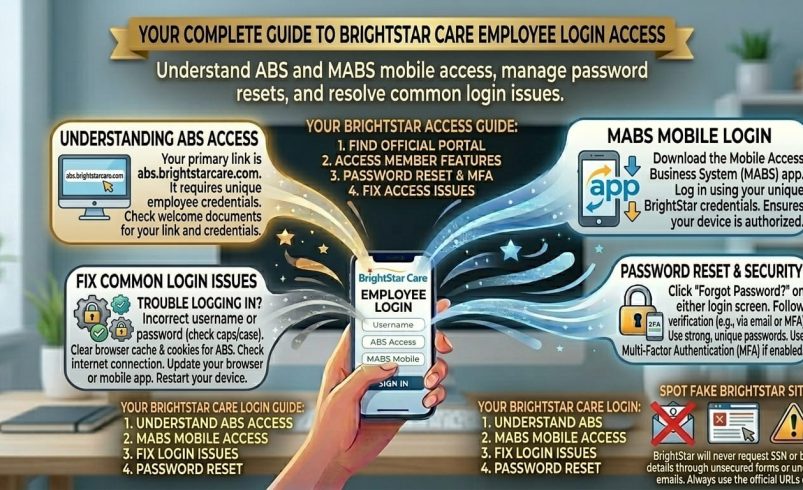
If you’re searching for the BrightStar login, you’re almost certainly trying to reach ABS, BrightStar Care’s Agency Business System, either through a desktop browser at abs.brightstarcare.com or the mobile version at mabs.brightstarcare.com. ABS is the system BrightStar Care caregivers, coordinators, and office staff use to check schedules, clock in and out of shifts, and manage client care documentation. This guide walks through both login methods, what ABS actually does, and how to fix the access problems that come up most often.
What Is BrightStar ABS?
ABS stands for Agency Business System. It’s the internal platform BrightStar Care franchise locations use to run day-to-day operations, not a public product, so if you don’t already work for or receive care through a BrightStar Care office, you won’t have a login.
BrightStar Care itself is a home care and medical staffing franchise founded in 2002, headquartered in Gurnee, Illinois, with independently owned locations operating under the BrightStar Care name across different regions. Each franchise office manages its own staff and client accounts within the shared ABS system.
Through ABS, caregivers and office staff typically handle:
- Shift scheduling and viewing upcoming assignments
- Clock in/out for timekeeping on active shifts
- Client care documentation and visit notes
- Communication with office coordinators
- Payroll-related time tracking, depending on the office’s setup
BrightStar Login: ABS vs Mobile (MABS)
This is where a lot of the confusion in existing guides comes from, so it’s worth being precise.
ABS (Desktop/Browser Login)
Go to abs.brightstarcare.com on a desktop or laptop browser. You’ll be redirected to BrightStar’s authentication page, where you enter your ABS username and password. This is generally the fuller-featured version, used more by office staff and coordinators managing schedules and documentation across multiple clients.
MABS (Mobile Login)
Go to mabs.brightstarcare.com from a phone or tablet browser. This is the mobile-optimised version of the same system, built for caregivers who need to clock in, check today’s schedule, or log a visit note while they’re actually on shift rather than sitting at a desk.
Both point to the same underlying ABS account. You don’t need separate credentials for each, your username and password work on both, and the version you land on just depends on which URL you use.
How to Log Into ABS BrightStar Care
- Open your browser and go to abs.brightstarcare.com (or mabs.brightstarcare.com on mobile)
- You’ll be redirected to BrightStar’s login page, which reads “Use an ABS account to log in”
- Enter your ABS username
- Enter your password
- Click log in, you’ll be taken to your dashboard, scoped to your role
If this is your first time logging in, your BrightStar Care office should have issued your username and a temporary password directly, rather than you registering yourself. Contact your local office if you’ve started working or receiving care but haven’t been given login details yet.
Fixing Common ABS BrightStar Login Problems
Forgotten Password
Use the “Forgot Password” option on the ABS login page and follow the prompts to verify your identity. If no reset email arrives, check your spam folder first, and if it’s still missing after a few minutes, your local BrightStar Care office can usually trigger a manual reset rather than you waiting indefinitely.
Wrong Login URL
A common mistake is bookmarking an old or slightly wrong version of the address (some type “abs brightstarcare login” into a search engine and land on outdated third-party pages rather than the real portal). Always go directly to abs.brightstarcare.com or mabs.brightstarcare.com, not a link from an unrelated blog or forum post.
Account Locked Out
Multiple failed login attempts can trigger a temporary lock as a security measure. Wait a short period before trying again, and if the lock persists, your office coordinator or administrator is the right person to contact, since account unlocking is typically handled at the franchise office level rather than through a central BrightStar support line.
Login Redirects but Doesn’t Load
If you’re redirected to the authentication page but the login form doesn’t load properly, this is often a browser issue rather than a problem with your account. Clear your browser cache, try a different browser, or switch to a private/incognito window before assuming something’s wrong with your credentials.
Mobile Site Not Working on Your Device
If mabs.brightstarcare.com isn’t displaying properly on your phone, try updating your mobile browser first, since older browser versions sometimes struggle to render the login redirect correctly. Switching between Wi-Fi and mobile data can also rule out a simple connectivity issue.
Who Actually Uses the BrightStar Login?
It’s worth being clear on this, since a lot of existing guides blur the line between BrightStar’s actual staff system and general healthcare apps that aren’t part of ABS at all:
- Caregivers and CNAs use ABS mainly for scheduling and clocking in/out
- Office coordinators use it to manage staff schedules across multiple clients
- Administrators use it for broader reporting and payroll-related tasks
- Clients and families generally don’t get a direct ABS login; care communication with families typically goes through office staff rather than the ABS system itself
If you were expecting features like remote video consultations or personal health tracking tied to a “BrightStar login,” that’s not part of ABS. Some third-party pages describe features that don’t match what the actual system does, so treat anything promising that kind of functionality with caution and stick to the official abs.brightstarcare.com domain.
FAQ
What is the BrightStar login used for?
The BrightStar login gives caregivers and office staff access to ABS (Agency Business System), BrightStar Care’s internal platform for scheduling, clocking in and out of shifts, and client care documentation.
What’s the difference between ABS and MABS BrightStar Care login?
ABS (abs.brightstarcare.com) is the desktop version typically used by office staff, and MABS (mabs.brightstarcare.com) is the mobile-optimised version for caregivers on shift. Both use the same username and password.
How do I reset my ABS BrightStar Care password?
Click “Forgot Password” on the ABS login page and follow the verification prompts sent to your registered email. If no email arrives, contact your local BrightStar Care office for a manual reset.
Can clients or family members log into ABS?
Generally no, ABS is built for caregivers and office staff rather than clients. Families typically communicate with BrightStar Care through office coordinators rather than a direct ABS login.
Why can’t I log into ABS BrightStar Care on my phone?
Try mabs.brightstarcare.com specifically rather than the desktop abs.brightstarcare.com address, since the mobile site is built to render correctly on smaller screens. Updating your mobile browser also fixes most display issues.
I’m a new employee, how do I get ABS login details?
Your local BrightStar Care office issues your username and a temporary password directly, you can’t self-register. Contact your office if you’ve started work but haven’t received login details yet.
Why does the ABS login page look different from what other guides describe?
BrightStar has updated its authentication system over time, so older third-party guides sometimes describe outdated screens or unrelated features. Always work from the current abs.brightstarcare.com page rather than assuming an older guide is accurate.
Is there one ABS login for all BrightStar Care locations?
Each BrightStar Care franchise office manages its own staff and client accounts within the shared ABS system, so your login is tied to your specific local office rather than being interchangeable across every location.