If you’re trying to sort out your CentralReach membership, whether that’s logging in, resetting a password, or working out what your account actually gives you access to, the short answer is: you sign in at login.centralreach.com with your unique email address and password, and from there you reach every tool tied to your role (clinical, billing, scheduling, or client access). CentralReach is a cloud-based practice management and EHR platform built for Applied Behavior Analysis (ABA) providers and related healthcare organisations serving people with developmental disabilities. This guide walks through the login process, what membership actually includes, and how to fix the access problems people run into most.
What Is CentralReach Membership?
CentralReach membership isn’t a single flat subscription, it’s account-level access to the CentralReach platform, scoped to your role within an organisation. A BCBA, an RBT, a billing administrator, and a client’s family member all count as “members,” but each sees a different dashboard depending on permissions their organisation sets.
The platform itself brings together several functions that used to require separate software:
- Clinical data collection and progress tracking for therapy sessions
- Scheduling for clinicians and client appointments
- Billing and claims management
- Documentation tied to treatment plans and session notes
- Business intelligence and analytics for organisation-level reporting
Because CentralReach handles Protected Health Information (PHI), it’s built to be HIPAA compliant, which is the US federal standard for protecting healthcare data. That’s worth knowing even if you never touch the compliance side directly, since it explains why login security (unique emails, optional MFA) is stricter than a typical consumer app.
Who Uses CentralReach Membership?
Membership spans a wider group of people than the name might suggest:
- BCBAs (Board Certified Behavior Analysts) managing treatment plans and clinical oversight
- RBTs (Registered Behavior Technicians) logging session data day to day
- Speech therapists and other allied clinicians working within the same organisation
- Administrators handling billing, scheduling, and compliance
- Clients and their families, who often get limited-access accounts to view appointments and progress notes
If you’re a client or parent rather than a clinician, don’t expect the full toolset. Your organisation controls exactly what your login can see, so a family member’s portal typically only shows scheduling and progress information, not billing or clinical documentation tools.
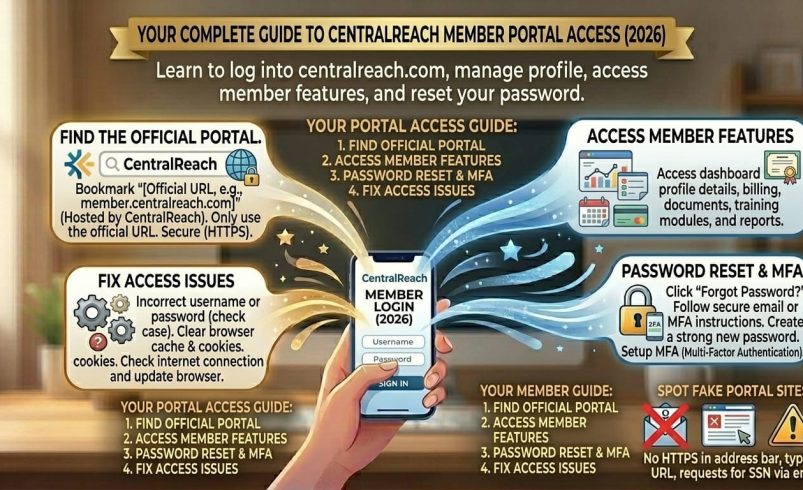
How to Log Into Your CentralReach Membership
Standard Login (Existing Users)
- Go to login.centralreach.com
- Enter your registered email address
- Enter your password
- Complete multi-factor authentication if your organisation has it enabled
- You’ll land on your dashboard, scoped to your role
CentralReach moved to a system where every user needs a unique, working email address rather than shared logins. This isn’t just a technical change, it’s tied directly to HIPAA audit requirements, since the platform needs a clear record of exactly who accessed a client’s PHI and when.
First-Time User Registration
- Visit login.centralreach.com
- Select “First Time User”
- Enter your email address and confirm you’re not a robot
- Select “Send Link”
- Check your inbox for the confirmation email and follow the link to set your password
New accounts are usually created by an organisation administrator first, then activated by the individual user through this process. You won’t be able to self-register without an invitation already sitting in your inbox.
CentralReach Member Login: Fixing Common Problems
Forgotten Password
Click “Forgot Password” on the login page and follow the email link. If the email doesn’t arrive within a few minutes, check your spam folder before requesting another reset, since sending multiple reset emails in quick succession can sometimes push the earlier ones down or cause confusion over which link is current.
Account Locked After Failed Attempts
Repeated incorrect login attempts will lock the account temporarily as a security measure. Wait a short period and try again, and if it’s still locked after that, your organisation’s CentralReach administrator (not CentralReach support directly, in most cases) is usually the fastest route to getting it unlocked.
MFA Verification Code Not Working
Multi-factor authentication issues are often down to timing or device settings rather than a genuine login problem. Double check that the device requesting the code is the one registered to your account, and confirm your device’s clock is set correctly, since MFA codes are time-sensitive and drift can cause valid codes to fail.
Portal Not Loading Properly
Browser cache and cookies cause more login issues than people expect. Clear your browser cache, try a different browser, or use a private/incognito window before assuming it’s a server-side problem.
“Invalid Credentials” on a Correct Password
This usually means the account is tied to a different email address than the one you’re entering, particularly common if you’ve changed jobs or your organisation migrated accounts during CentralReach’s move to unique-email logins. Confirm the exact email your organisation has on file rather than guessing based on your usual work address.
Mobile Access to Your CentralReach Membership
CentralReach is accessible through a mobile browser, and many organisations also use a supported CentralReach mobile app for session data collection in the field. Whether the app is available to you depends on your organisation’s setup, so check with your administrator if you don’t see it as an option, rather than assuming it’s missing from your account by mistake.
Security Best Practices for CentralReach Members
Since CentralReach accounts touch sensitive health data, a few habits matter more here than on a typical login:
- Use a unique, strong password you don’t reuse elsewhere
- Turn on MFA if your organisation allows it, even when it’s optional
- Never share login credentials between staff members, even temporarily
- Log out on shared or public devices rather than just closing the browser tab
- Report a suspected compromised account to your administrator immediately rather than waiting to see if anything looks wrong
FAQ
What is CentralReach membership?
CentralReach membership is role-based account access to the CentralReach practice management and EHR platform, used mainly by ABA providers, clinicians, administrators, and the clients and families they serve.
How do I log into my CentralReach member account?
Go to login.centralreach.com, enter your registered email and password, and complete MFA verification if your organisation has it enabled. First-time users need an invitation from their organisation before they can register.
I forgot my CentralReach password, what do I do?
Click “Forgot Password” on the login page and follow the reset link sent to your registered email. Check your spam folder if it doesn’t arrive within a few minutes before requesting another one.
Why does CentralReach require a unique email address now?
CentralReach moved away from shared logins to unique emails per user mainly for HIPAA compliance, so every action involving client health data can be traced to a specific individual rather than a shared account.
Can clients and families access CentralReach too?
Yes, many organisations set up limited-access accounts for clients and their families, typically showing appointment schedules and progress notes rather than full clinical or billing tools.
Is CentralReach mobile-friendly?
Yes, the platform can be accessed through a mobile browser, and many organisations also provide a supported CentralReach app for data collection, though app availability depends on your organisation’s setup.
Why am I getting “invalid credentials” with a password I know is correct?
This usually means you’re entering the wrong registered email rather than the wrong password, which is common after CentralReach’s move to unique-email logins or after an internal account migration.
What happens if my account gets locked?
After several failed login attempts, CentralReach locks the account temporarily as a security measure. Contact your organisation’s CentralReach administrator if it’s still locked after waiting a short period.